
Acer Desktop Computer Rentals
· By Zack Duncan · Technology Rentals
Updated March 22, 2012
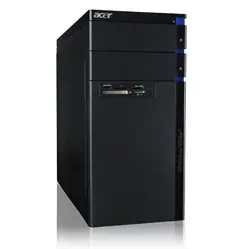 Need a replacement desktop while yours is getting fixed or while you are on the road at a convention or conference? A lot of people do and a lot of those people usually opt for a desktop computer rental as opposed to packing everything up and hauling it across the country. However, many people struggle with exactly what kind of desktop to get, though if you want something easy to move and easy to place then Acer might be the way to go.
Acer desktops are typically smaller and sleeker than your average desktop PC, allowing you to place one virtually anywhere you want. Rentacomputer.com offers a full range of Acer Desktop Computer Rentals that are perfect for any situation.
Acer desktops are usually made with high quality components and software and are perfect for handling your everyday computing needs. In addition to that, Acer desktops boast a lot of multimedia features, as well as device ports. This allows you to have a single device that is capable of almost anything you would need it for.
Aside from traditional desktops, Acer also offers All-in-One desktops like the Acer TouchPortal. This technology gives you a smarter way to access the internet and your PC while also giving you cool hands-on control over everyday computing and multimedia features. The sleek style, coupled with stunning lights and sounds all bundled into a single piece of equipment, makes it the ultimate desktop travel companion.
Rentacomputer.com also pre-loads every Acer desktop rental with the latest software, making sure you are always up-to-date. Right now, all of Rentacomputer.com’s Acer desktop rentals come with Windows 7, which offers you the best of both Windows XP and Windows Vista. However, Rentacomputer.com can also load any operating system you want, as well as any specific software you may want or need.
No matter what your specifications, where you need your Acer desktop rental or when you need it, Rentacomputer.com can deliver. Not only do you get local delivery and installation from a professional engineer, but also full customer support and the reassurance of going with a company that has over 20 years experience in the industry of computer and technology rentals worldwide.
 Put your eye on the problem with Camera Security Now, installing security cameras since 1999. We install in the US and we can help you do it yourself.
Call us toll free 877-422-1907 between 8am EST and 5pm PST M-F. Talk to an expert about your serious security camera needs.