
Store Charges $125 to Downgrade to Windows 7 for Unhappy Windows 8 Users
· By cpwilder · Technology Rentals
Updated August 8, 2018
Ok, so Windows 8 is not getting the rave reviews that Microsoft had hoped for. It seems as if some savvy computer stores are taking advantage of the dissatisfied Windows 7 loyal users. Twitter user Michael Jerewitz snapped a picture that shows one certified Microsoft service center that saw a demand and rose to the occasion. Are consumers really that willing to part with that kind of money to not learn a few new “tricks” of an operating system? OR, is the Windows 8 just full of glitches and problems?
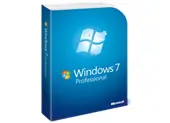 Whether it is glitches and problems vs. not wanting to teach an old dog new tricks, there are several ways to resolve issues with Windows 8. Microsoft customers who don’t live near the undisclosed location of this store do have other options for a downgrade. HP and Lenovo offer help online for customers trying to perform downgrades themselves. If you don’t mind paying for Windows 7 and are willing to pay $69.99, Best Buy’s Geek Squad will install Windows 7 on a Windows 8 machine at point of purchase. A complete version of Windows 7 Home Premium for $162 and Windows 7 Ultimate for a cringe-inducing $306 can be found at Amazon.com.However, at those prices, users that unhappy with a new Windows 8 machine can emulate Microsoft’s older interfaces by installing a Start Menu Replacement app.
PC buyers who already know they don’t want to mess with Windows 8 should consider buying a new PC with Windows 7 already pre-loaded and still available from major tech retailers. It would be a good idea to hurry though because there is no guarantee they will stick around as long as Windows XP or Vista.
There might be other challenges you face in your personal and business technology needs. There is a Tech Travel Agent available with a single call or e-mail who will develop unique solutions for your unique challenges. As always, if you know what you need right now, you can visit Rentacomputer.com to get a Quick Rental Quote and take care of business right now—24/7/365!