
Windows 95 Turns 20, Windows 10 Takes Note
· By admin · Technology Rentals
Updated August 27, 2015
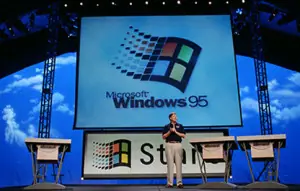
Image Source
Microsoft Windows 95 is now 20 years old. With the decades old Microsoft operating system, Windows 10 is the most similar system. If you look past the fact that Windows 95 PCs required a 386DX processor, 4MB of RAM, and 55MB of free space, Windows 10 seems to have the most in common with Windows 95. Here are some examples of what I’m talking about.
- A behavioral psychologist was given a job to make Windows 95 easier, so Windows 95 was the fist version to have a Start Menu. This newly invented menu made such an impact, Microsoft actually based its entire marketing campaign around it. The commercials used the Rolling Stones’ “Start Me Up” as the theme song. Windows 8 tried to do without the Start menu by replacing it with a full-screen app launcher, but you can see that it comes back with Windows 10.
- Microsoft’s Windows 95 started Internet Explorer and within a few years, the browser became the most widely-used web browser. It even overtook Netscape in the beginning. Alas, over the past 20 years, Google Chrome and Mozilla Firefox has out-shinned IE. Microsoft is now starting over with the Edge browser.
- Multitasking wasn’t a problem with Windows 95. It’s taskbar allowed you to quickly go back and forth between your programs. With the success of the taskbar, Microsoft didn’t really change the concept afterward, until the new Windows 10. The new Virtual Desktops feature allows you to not only switch between apps, but you can switch between entire sets of programs and windows altogether.
Windows 95 was Microsoft’s first move to having an Internet-connected operating system. With Windows 10, Internet communications are involved within the operating system. By clicking the Start Menu, Live Tiles pop up that show you quick details on calendar appointments, new headlines, and weather. You can talk to Cortana from the taskbar and have her search the web for you, instead of opening a browser and searching the web yourself. Also, the OneDrive integration makes it easy for you to share files and, my favorite feature, the built-in Xbox app that allows you to see what your gaming friends are doing.
Ignoring all the similarities between Windows 95 and Windows 10, the important question is, will Windows 10 be as important as Windows 95 was? Satya Nadella, Microsoft’s CEO, wants people to LOVE Windows and not just “put up” with it. Now that Windows 95 is 20 years old, hopefully, Windows 10 can fill the shoes left by Windows 95 and be what everyone really prefers to use.
Content originally published here
Sharing this story on Social Media? Use these hashtags! #Microsoft #Windows #Windows10 #Windows95 #HappyBirthdayWindows95