
Office 2016 Is Crashing on El Capitan Macs And Microsoft Has No Idea When It Will Be Fixed
· By Zack Duncan · Technology Rentals
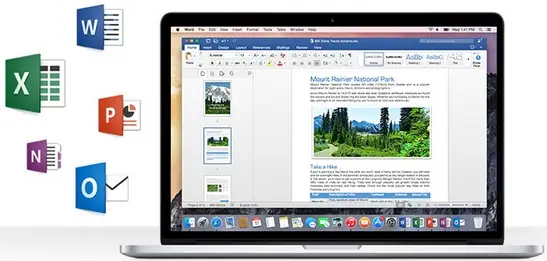 Microsoft recently acknowledged that people using the Office for Mac 2016 application suite are experiencing frequent crashes. Microsoft has stated that it is in the process of working on a fix for this debilitating issue, though failed to give a concrete timeline on when that fix will arrive. According to a Microsoft Spokeswoman in a recent email, “We know that some users may be experiencing issues with Office 2016 for Mac running on El Capitan. We are actively investigating the matter with Apple. Until there is a fix, we recommend people install the latest updates to Office 2016 for Mac using Microsoft AutoUpdate.”
Senior Program Manager at Microsoft Faisal Jeelani was quoted on the company support thread saying, “We are aware of the issue with Outlook 2011 on El Capitan and of Office 2016 on El Capitan. We are working on a fix for 2011, and for 2016, we are working closely with Apple to resolve this issue as soon as possible. Unfortunately, we do not have any timelines for either fix, please stay tuned and thank you for your understanding.”
Apple released OS X 10.11 El Capitan on September 30th and even though reports of Office for Mac application crashes preceded the official El Capitan release by nearly 2 months, the problem escalated rapidly as people upgraded their Macs to El Capitan this week. The support thread that Jeelani posted on is by far the longest on the site discussing the crash problem. As of Friday, the thread had over 21,000 views and more than 200 messages.
The real question is whether or not the problem is with Microsoft’s code or with Apple’s code. Since both the official statement and Jeelani’s message stated that Microsoft is working with Apple, it could be discerned that Microsoft believes Apple is to blame. On the other hand, it could be that Microsoft simply needs more information from Apple in order to understand why Office applications are breaking down. Then again, it could be that it is a combination of problems in both Apple and Microsoft’s codes.

Users on the message board were none too happy with either company. One user, Gerald Wildon, commented, “Beta testers have been reporting these crashes for several months. It’s inexcusable for both Microsoft and Apple to get to this point of public release of both products (OS X El Cap & Office 2016) with no resolution.” Other users seemed to know who to hold accountable. “You cannot blame Apple for this. It is down to Microsoft to test and update their own software to run on updated operating systems,” wrote Frank Nicklin. “How would Apple have access to the development code for a Microsoft product?”
My favorite comments have to be the satirical ones, like this one from Ed Hansberry: “If only Apple had let you get an advanced copy of El Capitan to test your products with before Apple released their new OS. It is a shame they don’t have a program to allow that sort of collaboration so developers can get ready for the big day.”
Apple is already in the process of testing OS X 10.11.1, the first update for El Capitan, and has already handed a preview to developers as well as public beta testers. As it stands, Microsoft has no answer for what is going on, though commentator Juls Sark offered up this solution: “I mean this with all sincerity: The best way to use Office on a Mac right now is to run Windows Office on a virtual machine.”
Content originally published here
Sharing this story on Social Media? Use these hashtags! #Apple #Microsoft #Office2016 #ElCapitan